Flodesk Studio Review (2026): My 6-Step Process to Create a Beautiful Newsletter in Under 5 Minutes
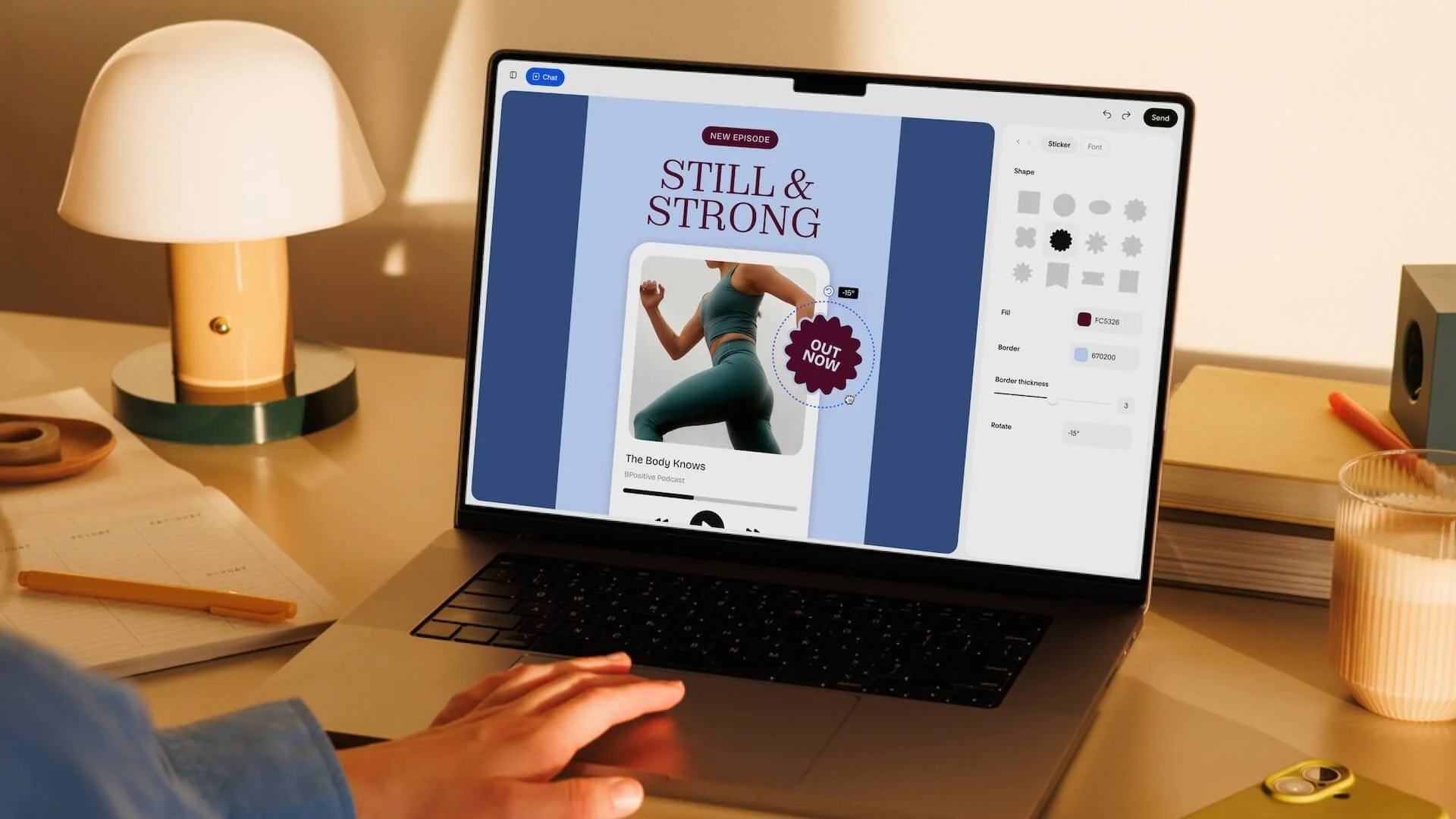
Flodesk Studio Review: My New Favorite Way to Create Beautiful Email Newsletters
If you've ever stared at a blank email wondering what to write, how to design it, or whether anyone would even read it, you're certainly not alone. Email marketing is still one of the most effective ways to build relationships with your audience and generate sales, yet it continues to intimidate so many small business owners. Between writing compelling copy, designing something that actually reflects your brand, and figuring out all the technical pieces behind the scenes, creating a single newsletter can easily become a project that takes hours instead of minutes.
As someone who genuinely loves branding and design, I've always wanted my emails to feel like an extension of my website rather than an afterthought. I want subscribers to recognize my brand the moment they open my newsletter. I want every email to feel intentional, elevated, and beautiful. Unfortunately, that hasn't always been easy to accomplish with traditional email marketing platforms. Many of them still feel outdated, overly technical, or simply uninspiring, especially if you're someone who cares deeply about aesthetics and creating a memorable brand experience.
That's one of the reasons I am a Flodesk partner and have recommended them for years. Honestly, I've tested more email marketing platforms than I can count, and I always come back to Flodesk because it's the one platform that feels like it was designed for creative entrepreneurs. It combines beautiful design with simplicity in a way that very few platforms have managed to achieve. Instead of spending my time fighting with complicated settings or outdated templates, I get to focus on creating content that genuinely connects with my audience.
So when Flodesk announced the beta launch of Flodesk Studio in July 2026, I was immediately curious. I wasn't looking for another AI tool that promised to do everything for me. There are already plenty of those. What caught my attention was Flodesk's approach. Rather than building another assistant or copilot, they created an entirely new design space where your ideas remain at the center of the creative process. Their philosophy is simple: the design begins with real human designers, artificial intelligence helps accelerate your workflow, and you remain in control of every final decision.
Naturally, I had to try it for myself.
I sat down with an idea for my next newsletter, opened Flodesk Studio, and decided to see just how quickly I could go from a blank page to a finished email. I expected it to save me some time, but I honestly wasn't prepared for how intuitive the entire experience felt. Within minutes, I had multiple professionally designed concepts that already looked remarkably close to my own brand.
Instead of spending my afternoon building an email from scratch, I was refining, personalizing, and adding my own voice to a design that already felt polished and intentional. That experience inspired this article.
In this review, I'm sharing my first impressions after testing the Flodesk Studio beta, along with the exact six-step process I used to create, design, test, and prepare a newsletter in less than five minutes. If you've been searching for a faster, easier way to create beautiful email newsletters without sacrificing your unique brand identity, I think you're going to love what Flodesk has been building.
What Is Flodesk Studio?
Flodesk Studio is a brand-new email design platform that was introduced during Flodesk's July 2026 beta launch. At first glance, it might be tempting to think of it as another AI-powered email generator, but after spending time inside the platform, I quickly realized that's not really what it is. In fact, I think that's what makes Studio so refreshing.
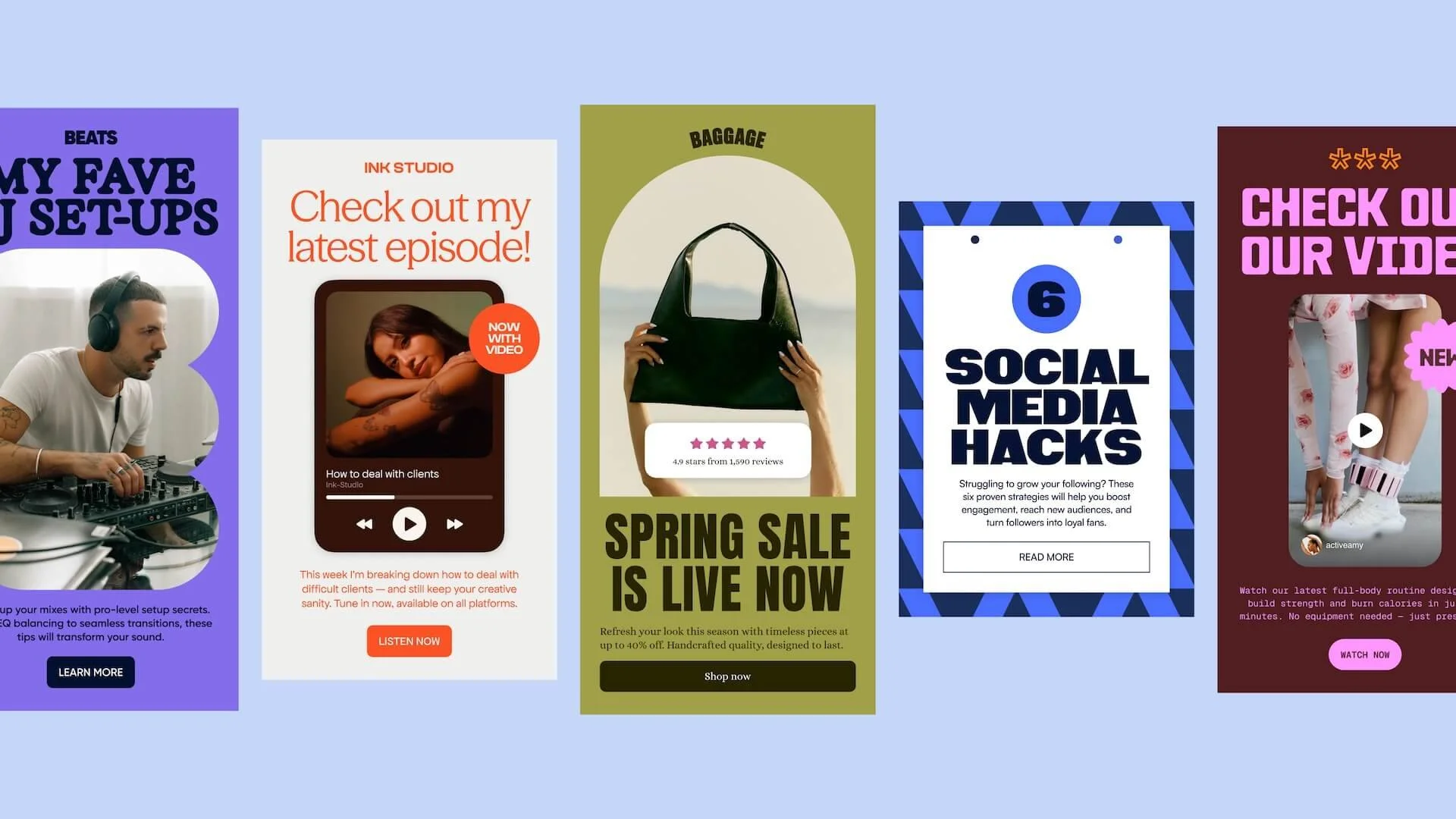
Rather than asking artificial intelligence to create your entire newsletter for you, Studio gives you a thoughtfully designed creative workspace where your own ideas become the starting point. You describe what you'd like to create, whether that's a weekly newsletter, a product launch announcement, a welcome email, or something entirely different, and Studio transforms your idea into multiple professionally designed concepts that already feel cohesive and on brand.
One of the things I appreciate most is Flodesk's philosophy behind the product. While many companies have rushed to build assistants that try to replace the creative process, Flodesk asked a different question. Instead of asking how technology could do the work for you, they focused on creating a better environment where creativity could happen more naturally.
Their messaging captures that beautifully: Human-designed. AI accelerated. Finished by you.
That distinction may sound subtle, but after using Studio, I think it's incredibly important. At no point did I feel like I was handing over my creativity to a machine. Instead, it felt like I was collaborating with a beautifully designed creative workspace that simply helped me move through my ideas much more efficiently.
Another feature that immediately stood out to me is the flexibility Studio offers. If you're already a Flodesk user, your designs can move seamlessly into your existing email marketing workflow. If you're using another email service provider, you aren't left out. Studio allows you to export your finished design as HTML, making it compatible with many popular email platforms that support HTML emails. Whether you currently use Mailchimp, ConvertKit, Beehiiv, Kit, or another provider, Studio allows you to create beautifully designed emails without forcing you to switch your entire marketing system overnight.
The fact that Flodesk built Studio to work beyond its own ecosystem says a lot about their approach. Rather than creating another closed platform, they've created a design tool that meets creators where they already are. As someone who values flexibility and long-term scalability in my business, I found that incredibly refreshing.
Why Flodesk Studio Feels Different From Every Other AI Design Tool I've Tried
If you've experimented with AI over the past couple of years, you've probably noticed a common pattern. Most tools promise to do the creative work for you. They'll write your content, generate your images, build your marketing campaigns, and even suggest your strategy. While those tools can certainly be helpful, I've often walked away feeling like something was missing. The finished result usually felt polished enough, but it didn't always feel personal. It rarely sounded like me, and it definitely didn't look like something I would have designed from scratch.
That's what surprised me most about Flodesk Studio.
Instead of asking AI to become the designer, Flodesk built a creative environment that helps you become a faster designer. The experience doesn't feel like you're handing over your ideas to a machine. It feels like you're collaborating with a beautifully designed workspace that understands your brand and gives you an incredible starting point.
I love the way Flodesk describes Studio because it perfectly captures what I experienced while using it.
Human-designed. AI accelerated. Finished by you.
That philosophy is woven into every part of the platform.
Every layout begins with a design system created by real designers. Your prompt simply tells Studio where you'd like to begin. From there, you're free to refine the design however you like. You can continue chatting with Studio, drag elements around the page, replace images, update copy, adjust colors, or fine-tune every little detail until the finished email feels completely aligned with your vision.
To me, that's the biggest difference.
Studio isn't trying to replace your creativity. It's removing the repetitive parts of the design process so you can spend more time making creative decisions that actually matter.
As someone who genuinely enjoys branding and visual storytelling, I found that incredibly refreshing.
My Favorite Flodesk Studio Features
There are quite a few new features packed into Flodesk Studio, but after spending time exploring the beta, these are the ones that immediately stood out to me. Every feature seemed intentionally designed to remove friction while still allowing you to create something that feels unique to your business.
You Never Have to Start From Scratch Again
One of the hardest parts of creating a newsletter isn't necessarily writing it. It's staring at a blank page wondering where to begin.
Studio completely changes that experience.
Instead of opening an empty canvas, you can begin with a simple prompt, an idea, or even a few sentences describing what you'd like to create. Within moments, Studio generates three professionally designed email concepts that feel polished and cohesive right from the start.
For me, this immediately removed one of the biggest obstacles to consistent email marketing. Rather than spending thirty minutes trying to design the perfect layout, I could begin refining something that was already about eighty percent of the way there.
Your Brand Stays at the Center of Everything
One feature I genuinely appreciated is how Studio builds around your brand instead of forcing your brand into a generic template.
You can upload your brand colors, fonts, logos, imagery, and overall style so Studio understands the visual identity you're trying to create. If you're still developing your brand, Flodesk even includes beautifully designed starter brands to help you begin with confidence.
The result feels surprisingly cohesive. Every design already looks like it belongs to your business before you've even started making edits.
For entrepreneurs who care about creating a premium customer experience, this feature alone is a huge time saver.
Created by Real Designers
This might actually be my favorite part of the entire platform.
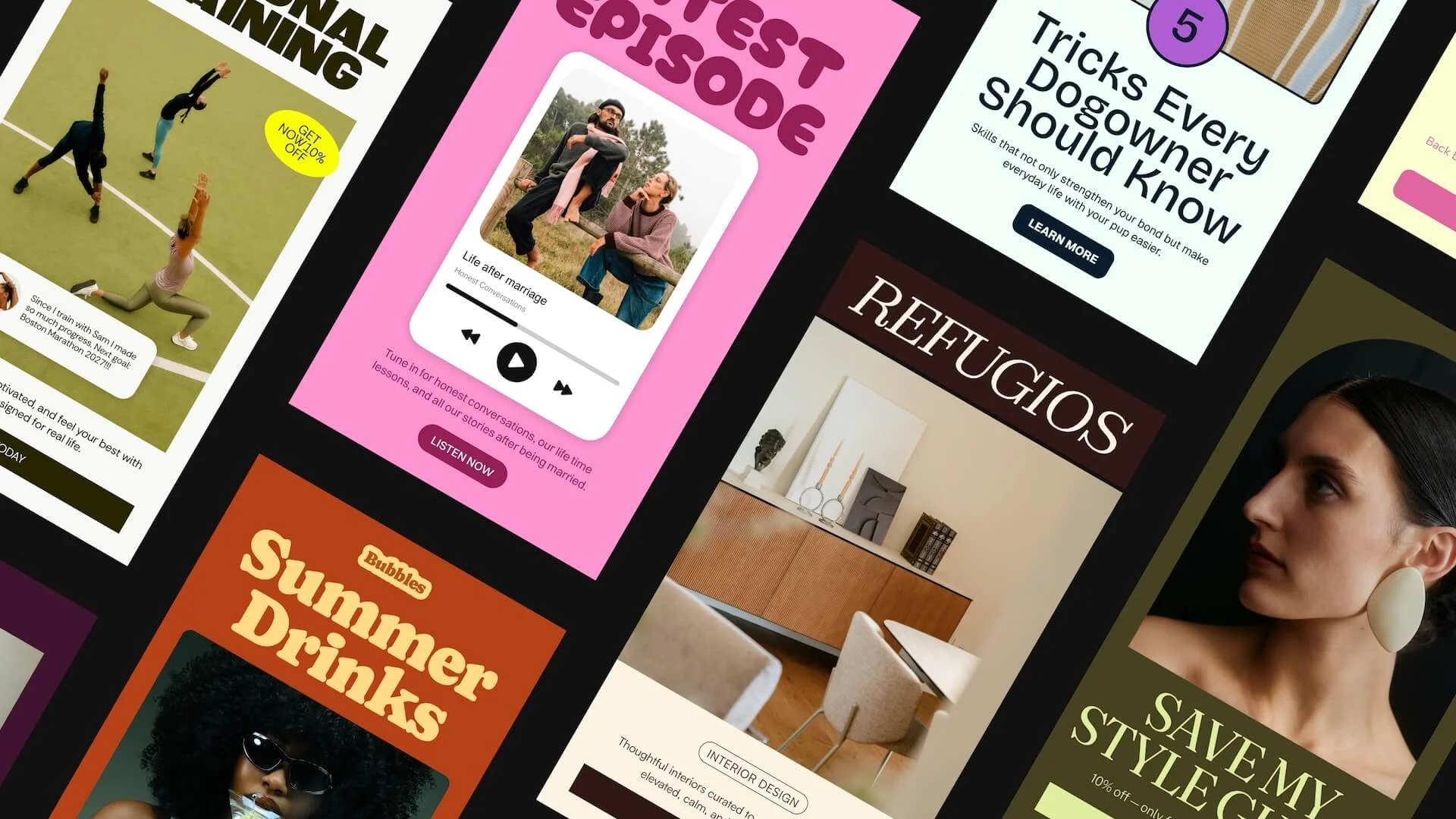
Flodesk didn't build Studio around randomly generated layouts. Every design begins with systems created by professional designers, which gives the finished emails a polished, editorial quality that is incredibly difficult to replicate with most AI tools.
The reason these emails feel intentional is because they are.
Real designers built the creative foundation first. Artificial intelligence simply helps you personalize and accelerate the process.
That difference is immediately noticeable.
Edit the Way Your Brain Works
Some days I know exactly what I want to change, and other days I simply want to experiment until something feels right.
Studio supports both creative styles beautifully.
If you prefer writing instructions, you can continue refining your design through prompts and conversation. If you're more visual like I am, you can jump directly into the editor, move elements around, resize sections, update images, and customize everything manually.
There isn't one "right" way to create. Studio simply gives you the flexibility to work however your creative process naturally unfolds.
A Growing Library of Beautiful Design Elements
The new block library is another feature I found myself exploring for much longer than I expected.
Instead of relying on a handful of basic content blocks, Studio includes beautifully designed components for almost every type of email you might want to create. Headers, banners, testimonials, countdown timers, invitations, recipes, quotes, personal bios, polls, signatures, and list sections are all available with just a few clicks.
Flodesk has also shared that they're actively building additional blocks, including social media sections and custom font support, which makes me excited to see how quickly Studio continues to evolve during the beta.
Design Once, Send Anywhere
Although Studio works seamlessly with Flodesk, one of the most exciting features is that you aren't limited to a single email platform.
Once you've finished designing your email, you can export the HTML and use it with virtually any email service provider that supports HTML email.
Whether you're currently using Flodesk, Mailchimp, ConvertKit, Beehiiv, Kit, or another provider, Studio allows you to elevate the visual quality of your emails without completely rebuilding your marketing system.
That flexibility makes Studio valuable for almost any creator or business owner, regardless of where they're currently managing their email list.
My Exact 6-Step Process to Create a Beautiful Newsletter in Under Five Minutes
One of the biggest questions I had before trying Flodesk Studio was whether it could actually save me time. After using it myself, I can honestly say the answer is yes. Of course, your workflow will vary depending on how much customization you want to do, but I was genuinely impressed by how quickly I could move from an idea to a beautifully designed newsletter.
Here's the exact process I followed.
Step 1: Set Up Your Brand
Before creating my first email, I uploaded my brand assets so Studio could understand the visual identity I wanted to maintain.
This included my logo, brand colors, typography, and overall design style.
Taking a few minutes to do this upfront means every future email starts from a much stronger foundation. Instead of redesigning everything each time, Studio already understands the look and feel I'm trying to create.
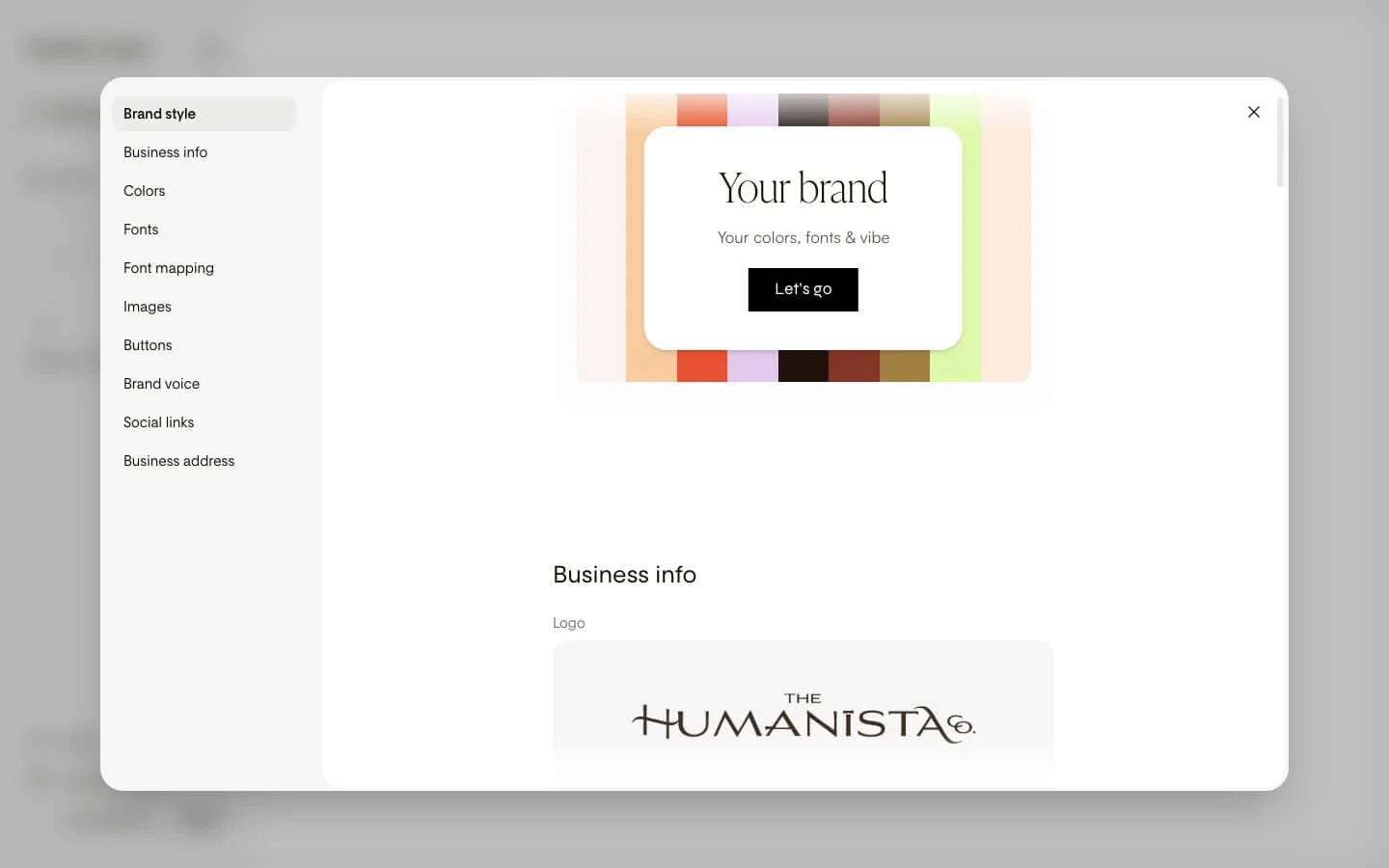
Behind the scenes look at Flodesk Studio’s brand kit which makes it so easy to customize your email aesthetic
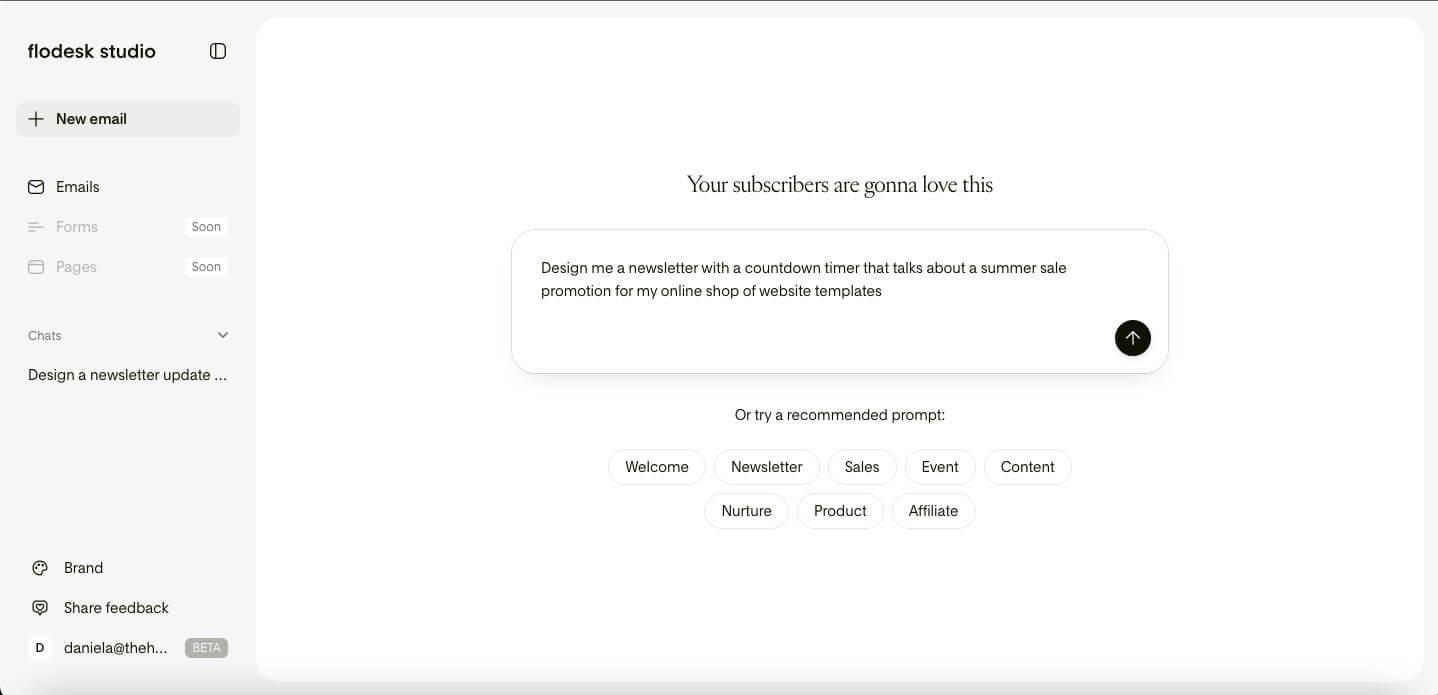
Step 2: Write a Simple Prompt
Next, I described the newsletter I wanted to create.
I didn't overthink it or try to write the perfect prompt. I simply explained the purpose of my email, the audience I was speaking to, and the overall tone I wanted to achieve.
Within moments, Studio generated three completely different newsletter concepts for me to review.
Watching those designs appear almost instantly was honestly one of my favorite parts of the experience.
Step 3: Choose the Design That Fits Your Brand Best
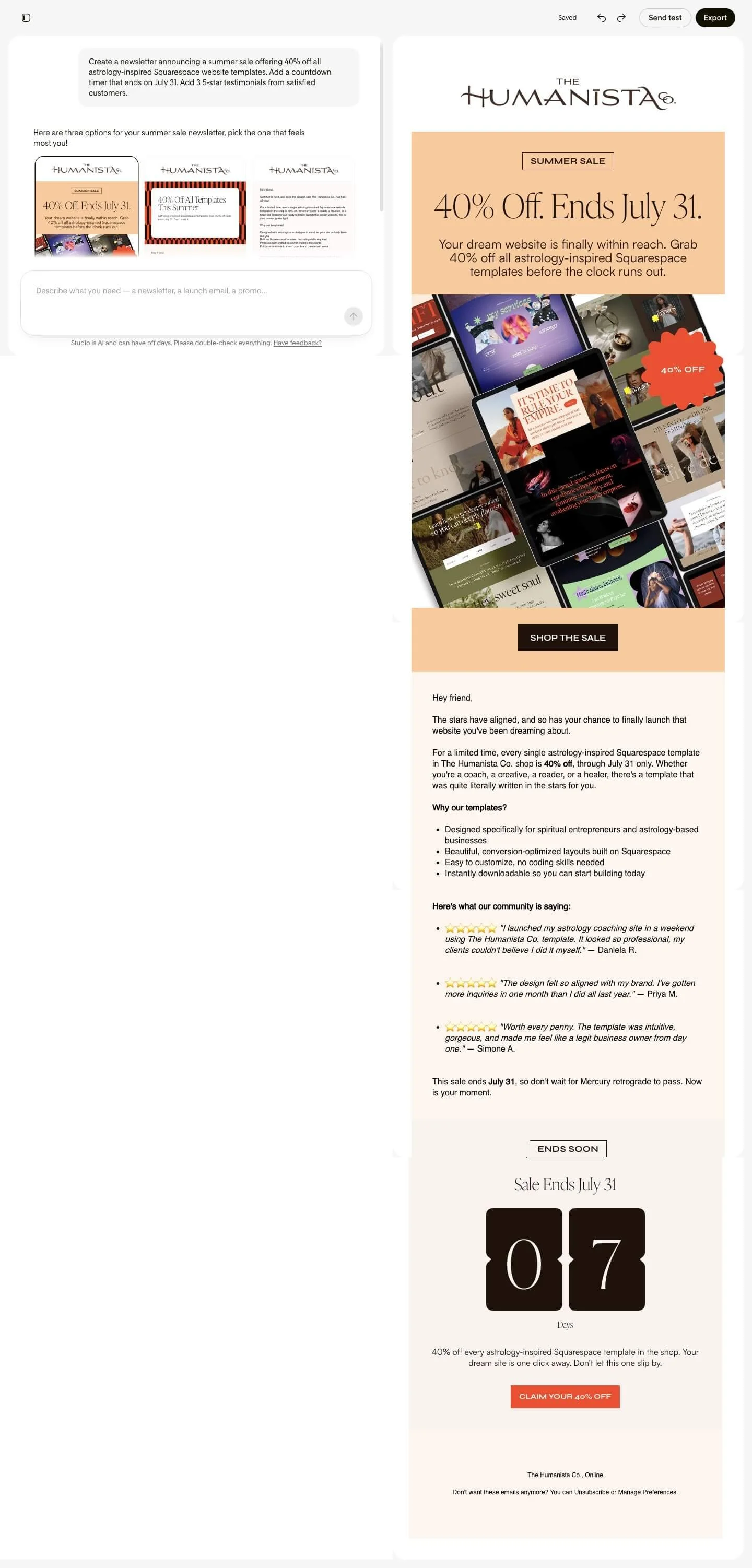
Rather than generating a single email, Studio presents three unique design directions.
Each one offers a different visual interpretation of your prompt, giving you the freedom to choose the style that feels most aligned with your brand.
In my case, one design immediately stood out. It already captured the clean, editorial aesthetic I love, so instead of building from scratch, I simply chose my favorite and kept moving.
Step 4: Add the Finishing Touches
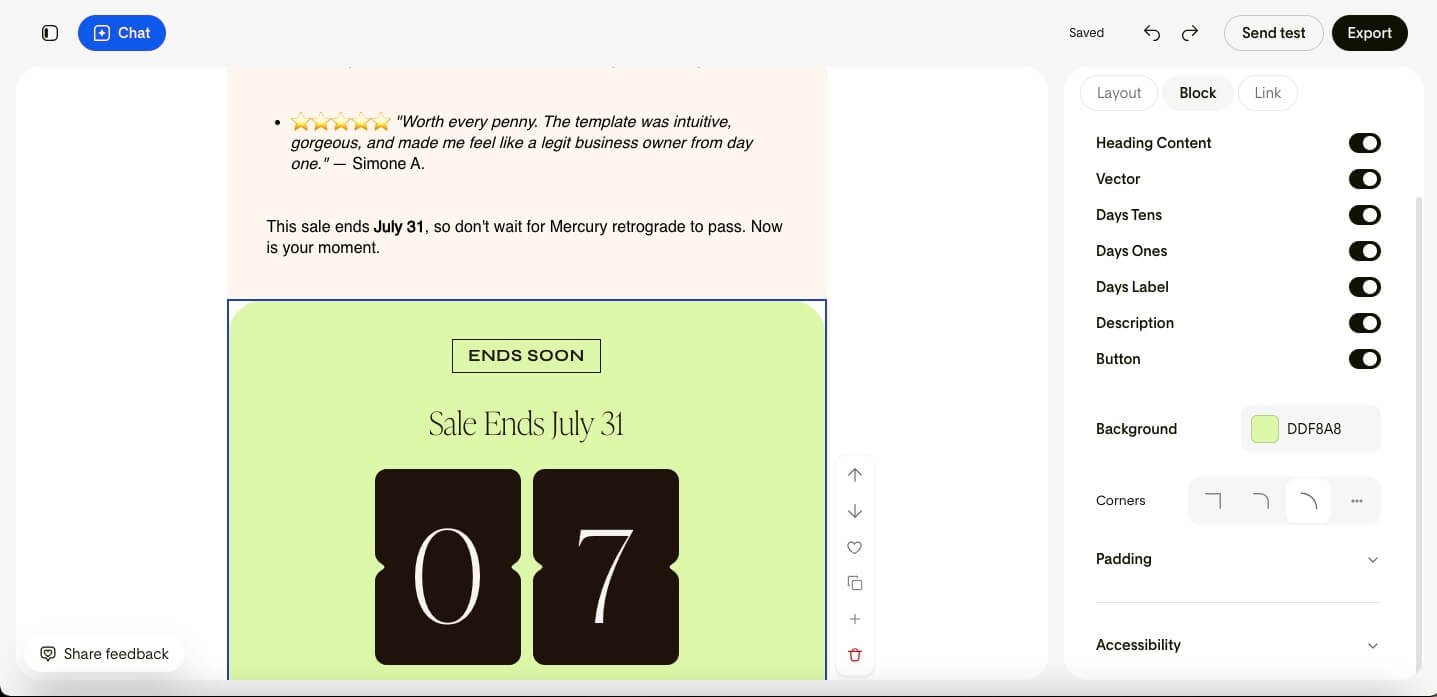
Once I reviewed my test email, it was time for my favorite part of the process: personalization.
This is where I added the small details that transform a well-designed email into something that truly feels like my brand. I updated a few sections of the copy, swapped in my own imagery, refined some calls to action, and adjusted the overall flow of the newsletter so it felt more aligned with the experience I wanted to create for my readers.
What I appreciated most during this step was how flexible Studio felt. I wasn't locked into a rigid template or forced to work within limitations that made customization difficult. If I wanted to move a section, I could move it. If I wanted to adjust spacing, typography, or imagery, I could do that too. The platform made it easy to fine-tune the details without slowing down the creative process.
As someone who cares deeply about branding, I found this balance incredibly refreshing. Studio gave me a beautifully designed starting point, but it never took away my ability to make the final creative decisions.
Step 5: Send Yourself a Test Email
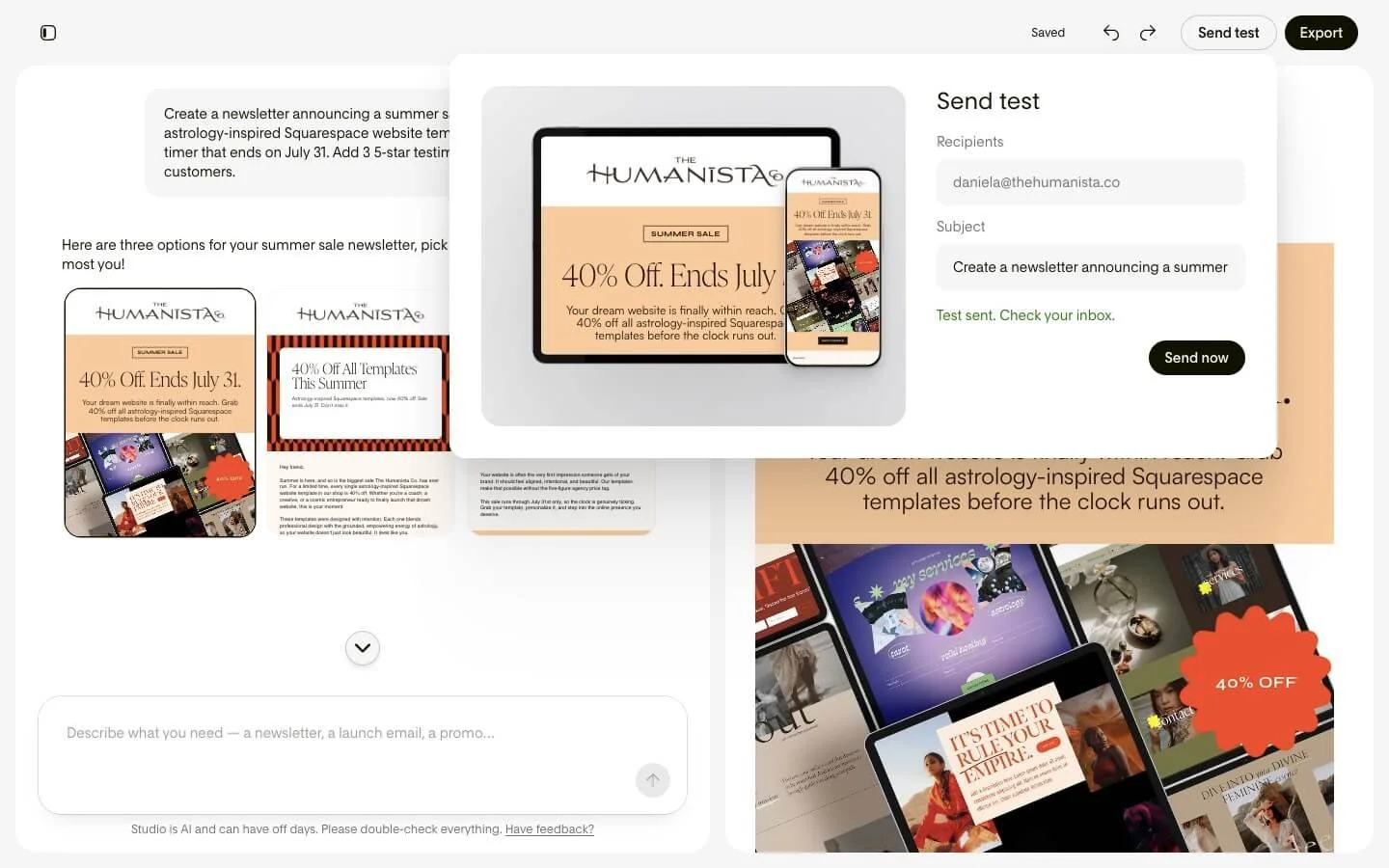
Before making any final edits, I always recommend sending yourself a test email.
Seeing your newsletter inside an actual inbox is completely different from viewing it in the editor. It allows you to check spacing, typography, images, links, and overall flow while experiencing the email exactly as your subscribers will.
For me, this step always catches little details I might have otherwise overlooked.
Step 6: Send Through Flodesk or Export Anywhere
Once my newsletter felt complete, I had two options: I could send it directly through Flodesk, which is what I personally prefer because Flodesk remains my favorite email marketing platform for managing subscribers, forms, workflows, and email campaigns.
Or, if I wanted to use another email service provider, I could export the design as HTML and bring it into a platform that supports HTML email.
This flexibility is one of the things that makes Studio stand out. Many tools try to lock you into a single ecosystem, but Flodesk took a different approach by creating a design platform that can work with the tools you already use.
For creators and entrepreneurs who are curious about Studio but aren't ready to switch email providers, that's a huge advantage.
By the time I reached this final step, I was honestly surprised by how quickly everything had come together. What would normally require bouncing between multiple tools, templates, and design platforms had been streamlined into a single creative workflow.
Final Thoughts: Is Flodesk Studio Worth Trying?
After testing the Flodesk Studio beta for myself, my answer is a resounding yes.
What impressed me most wasn't simply the speed or the technology. It was the fact that Studio made the creative process feel enjoyable again. Instead of staring at a blank page wondering where to begin, I was able to move from idea to execution with a level of ease that genuinely surprised me.
For years, I've recommended Flodesk because it's one of the few platforms that understands the importance of beautiful design. Studio takes that philosophy even further by creating a space where creators can bring ideas to life faster while still maintaining complete creative control.
The result is email marketing that feels less intimidating, less time-consuming, and far more aligned with the way creative entrepreneurs actually work.
And perhaps the best part?
Flodesk Studio is currently free while it's in beta. There is no credit card required and no catch. Flodesk has shared that they're using the beta period to learn from users and determine future pricing, which makes this the perfect time to explore the platform and experiment with its capabilities.
If you've been looking for a faster way to create beautiful newsletters that feel authentic to your brand, I highly recommend giving it a try.
Ready to Create Your First Newsletter in Minutes?
Effective email marketing isn't about sending more emails. It's about creating thoughtful, engaging content that nurtures relationships and builds trust over time. The best email marketing tools help you simplify the process so you can focus on serving your audience rather than getting stuck in the technology.
Flodesk Studio does exactly that.
It gives you a beautifully designed space to create, experiment, and bring your ideas to life while staying true to your unique voice and visual identity.
✨ Start creating today at studio.flodesk.com
And when you're ready to build a complete email marketing ecosystem with beautiful forms, audience segmentation, workflows, automations, analytics, and stunning newsletters, Flodesk remains my go-to recommendation for creators and entrepreneurs.
✨ Sign up through my affiliate link to try Flodesk FREE and get 25% off your first year, making it simple to capture, nurture, and grow your email list while keeping your audience engaged.
Because your email marketing should feel just as beautiful and intentional as the brand you've worked so hard to build.